Lectio Pro for iPhone
Your school day.
At a glance.
Your schedule, homework, messages and grades from Lectio, in one app that feels at home on your iPhone.
Free beta · Coming soon to the App Store
Your password stays yours
You sign in on the real website, shown inside the app. The app never sees or stores your password.
No ads, no tracking
No analytics either. Your information goes directly from Lectio to your phone.
Made by a student
Made for students at any school that uses Lectio, by one who wanted it to feel at home on the iPhone.
Schedule
Now, next and the rest
of the day.
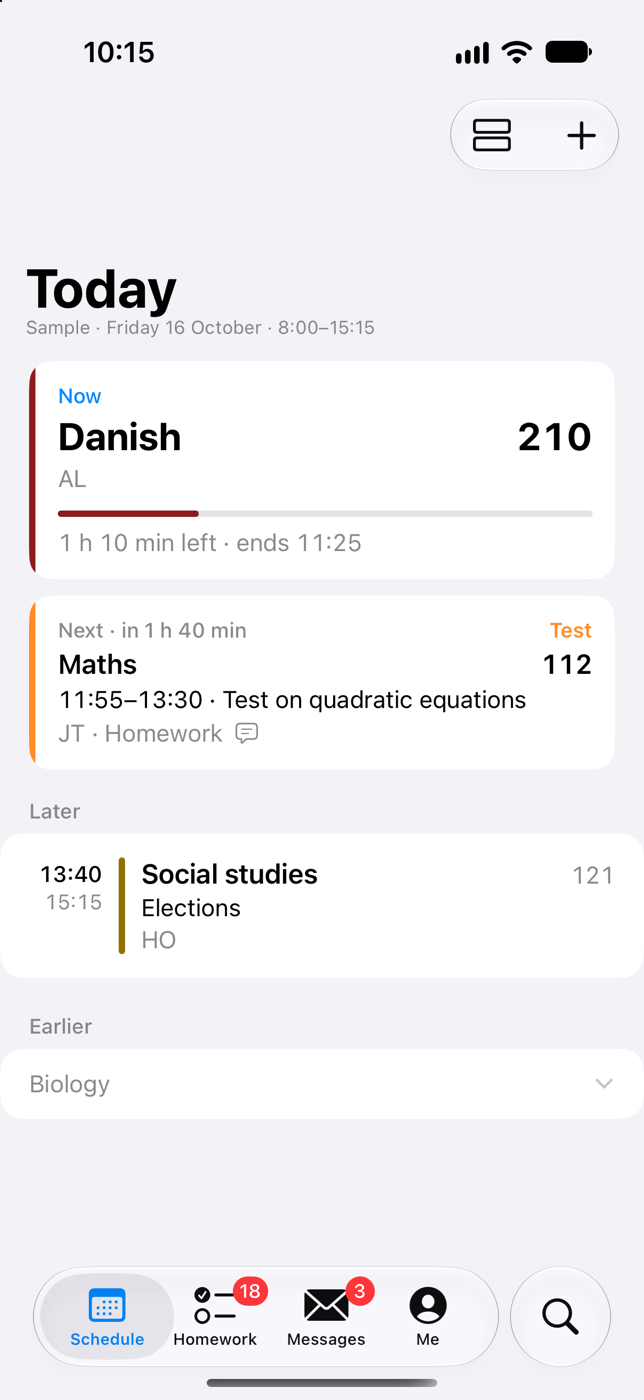
See the lesson you're in, how long is left and what comes next, with its room. Changed rooms and cancelled lessons are right there, as Lectio has them.
Now and next.
The lesson you're in with the time left, what's next, and when school's out.
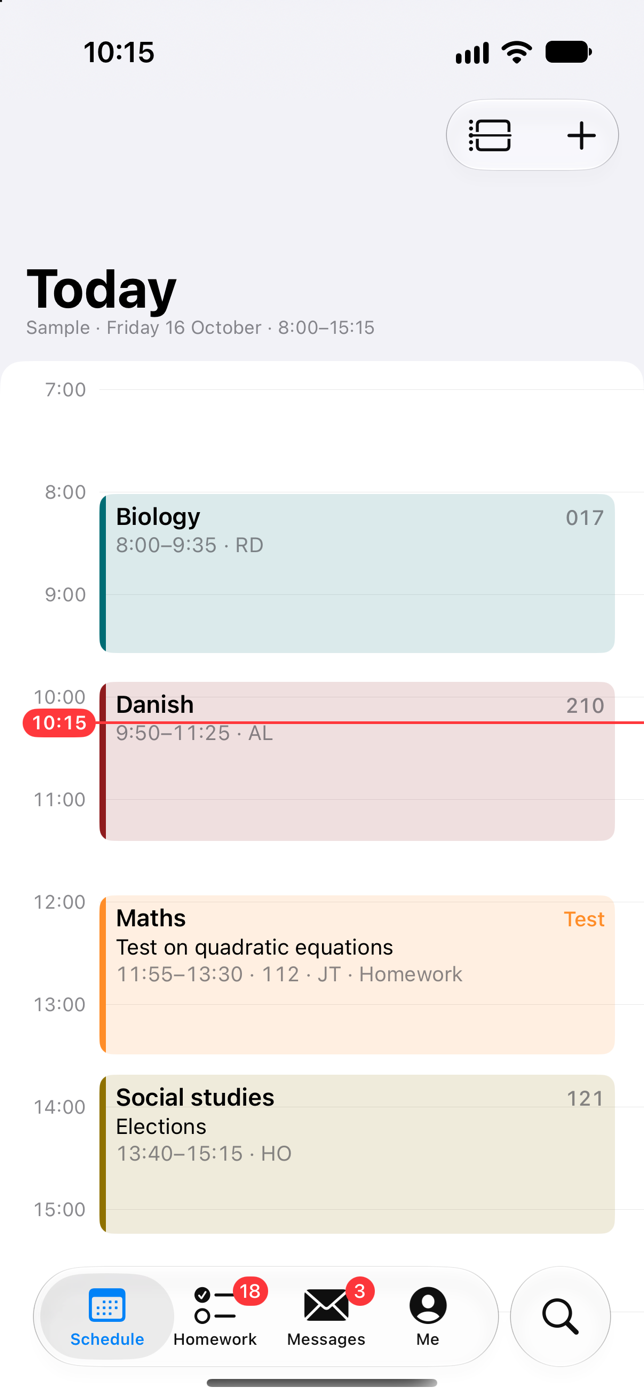
Hour by hour.
Your day as on a calendar. Lessons at the same time sit side by side, and a pinch makes the hours taller.
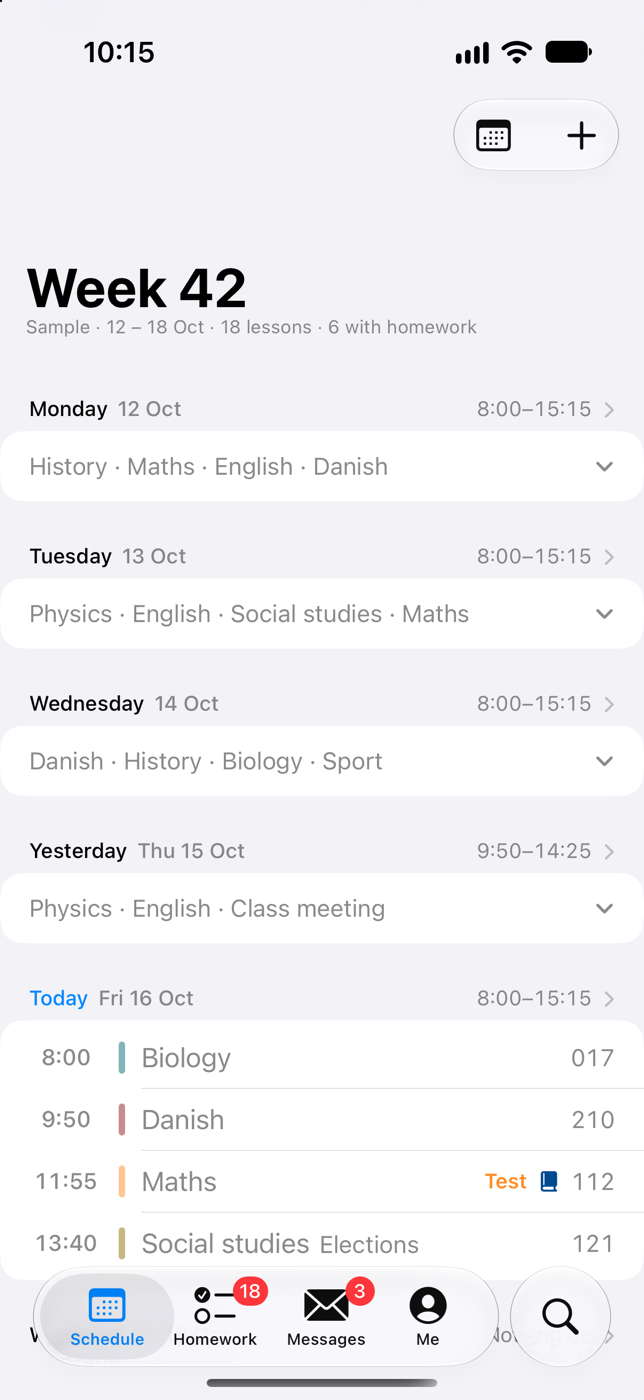
The whole week.
Every day of the week on one page. Days gone by fold away.
Widgets
Your day, without
opening the app.
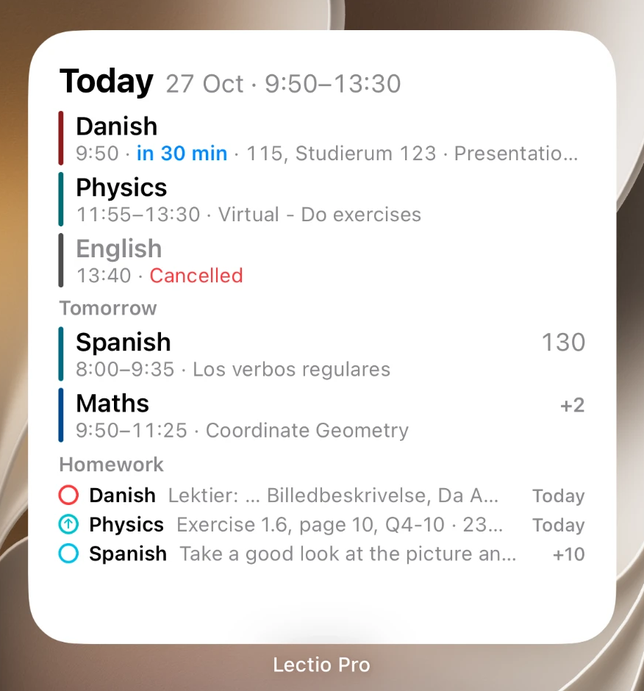
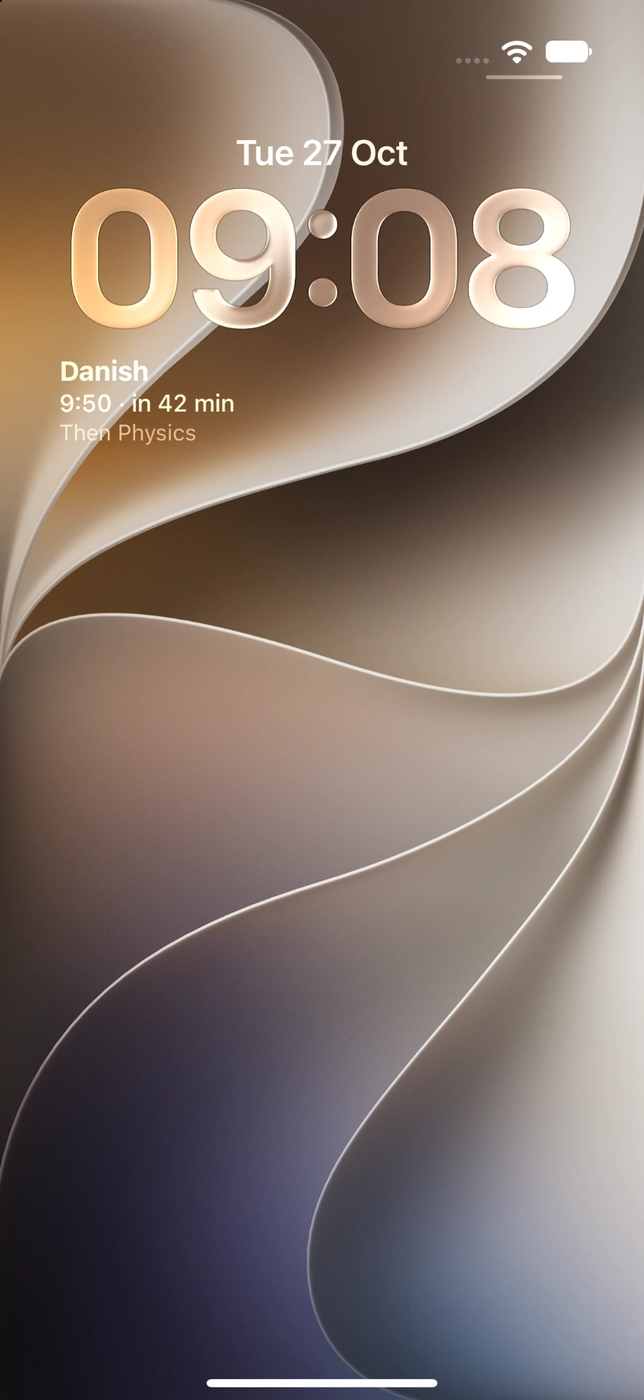
Six widgets for the Home Screen and the Lock Screen: now and next, today, the timeline, homework, messages, and your next lesson with a countdown.
AI · In the beta
Translate it.
Sum it up.
Ask about it.
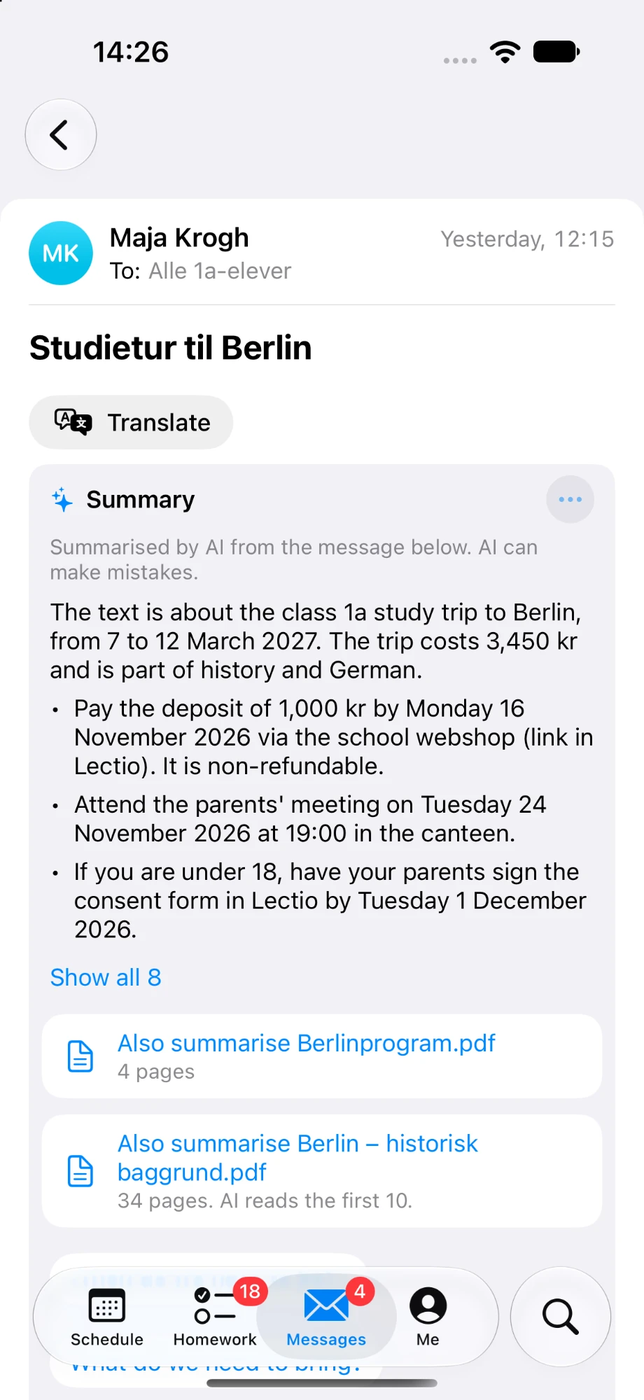
Long messages from school, lesson texts and the files that come with them, made short and clear. And help with what you write.
Read it in your language.
Translate a message, a lesson or a homework into one of 15 languages. Choose yours in Settings.
Only what matters.
What's happening, when and where, and what to do, pay, bring or sign, by when. Attached PDFs and Word files too.
Ask about it.
Ask anything about a message, a lesson or a homework, and see where on the page the answer comes from.
Help with what you write.
Write it in Danish, proofread it, or make it more polite or shorter. You always send it yourself.
AI is off until you turn it on: the first time you tap one of these, a screen says what is sent and to whom, and nothing is sent unless you tap Turn on. Then what you tap AI on goes through Lectio Pro's server to Anthropic, whose AI, Claude, does the work. AI can be wrong: check dates, times and amounts against the original.
What's sent, and what's kept ›
Homework
Tick it off.
Hand it in.
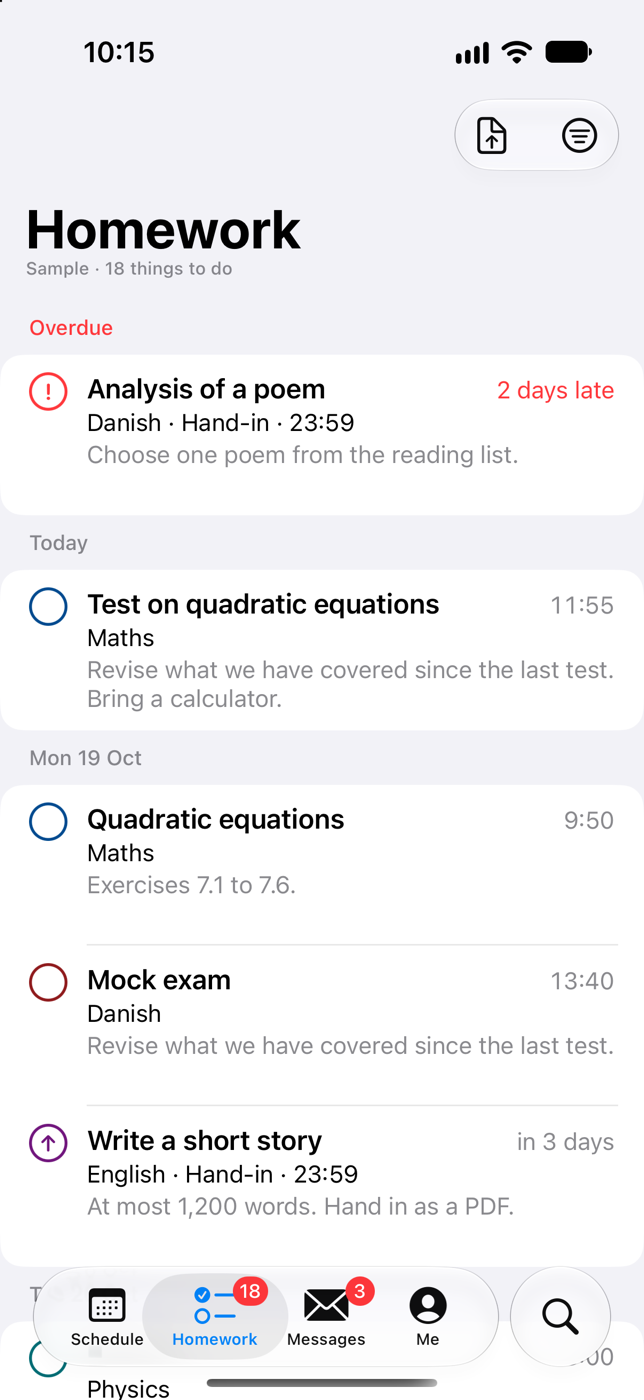
Homework and assignments in one list, by the day they're due, with what's overdue on top. Tick off what's done, swipe to set a reminder, and hand in photos, files or a scanned page right from your phone.
Messages
Every message.
Every reply.
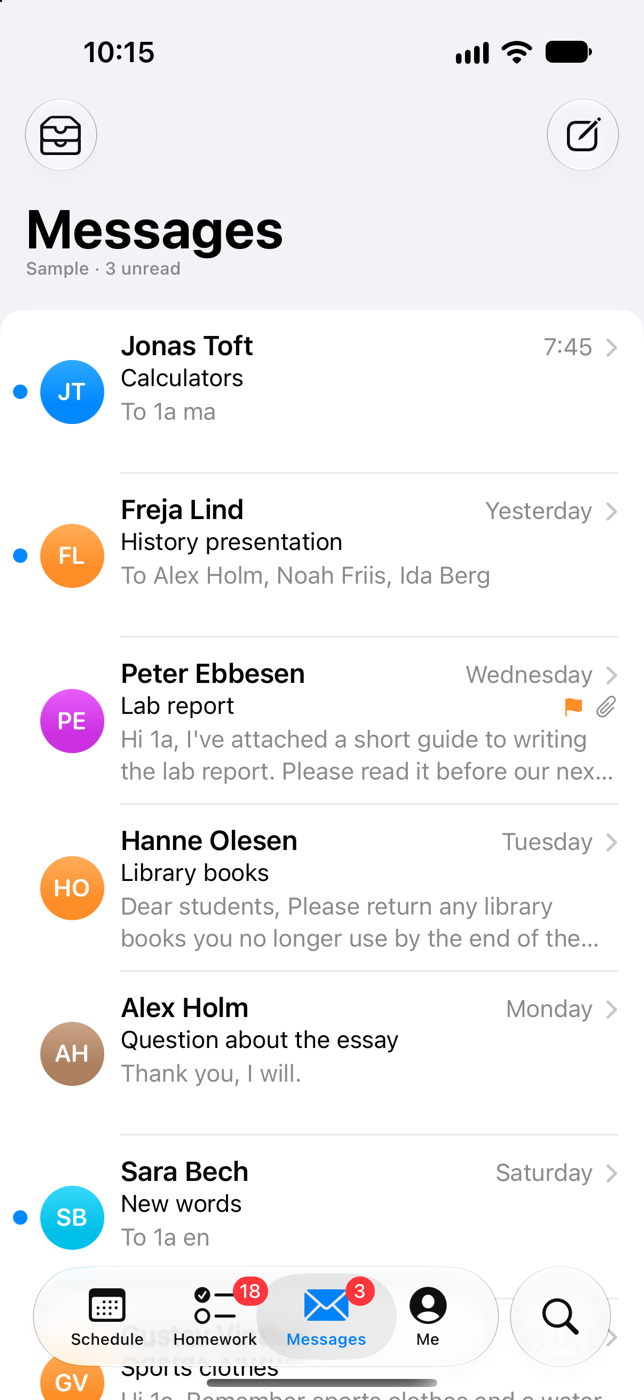
Your Lectio inbox, with a face for everyone. Read whole conversations, reply, flag and find any message. Start a message now and finish it later: drafts stay on your iPhone. Touch and hold a face to see that person's schedule.
And more
The rest of Lectio, too.
Your page, your way
Absence, grades, your study plan and your student card as cards on your own page, arranged like your Home Screen.
Reminders and news
A heads-up before each lesson, if you want one. And a note when a lesson is cancelled, a room changes, or new homework or a message arrives.
Student card
Your digital student card, its code kept up to date and the screen at full brightness.
Find a schedule
Any teacher's, class's, student's or room's week. Pin the ones you need.
Absence
Your absence by subject, and a reminder when a reason is needed.
Without a connection
Your schedule, your homework and the list of your messages are still there when the Wi-Fi isn't.
Privacy
You sign in on Lectio.
Not with us.
You sign in on the real website, shown inside the app. The app never sees or stores your password. It fetches your information directly from Lectio to your phone and keeps it there. Nothing of it is sent to the developer or anyone else, except what you use AI on. No ads, no analytics, no tracking.
Read the privacy policy ›Questions
Good to know.
How do I join the beta?
Tap Join the beta on your iPhone. Apple's TestFlight app opens, and you install Lectio Pro from there. The beta is free.
Does it work at my school?
It's made for students at any school that uses Lectio. Schools set Lectio up in different ways, so if something looks wrong at yours, write to lectiopro@icloud.com.
Is it for teachers?
Not yet. It's made for students: it reads a student's pages in Lectio.
Where does my password go?
Nowhere near us. You sign in on the real website, shown inside the app, and the app never sees or stores your password. It keeps Lectio's sign-in in the iPhone's Keychain, for this phone only.
Which iPhones does it work on?
Any iPhone with iOS 26 or later.
Do I have to use AI?
No. AI is off until you turn it on, and everything else works without it.
Lectio Pro
Free beta · Coming soon to the App Store